Showing posts with label Computing. Show all posts

MrPICT.com


A few months ago, Facebook gave me the opportunity to launch a supporter aspect to my page. For £3.50 a month, teachers can subscribe to receive the following benefits:


This platform, for me, is a way to bring my CPD training in schools online. I regularly receive messages from teachers saying that they would love to attend one of my CPD and Inset sessions, however, due to one reason or the other (location, school not allowing them to go etc) they can't make it. It gives teachers the opportunity to take ownership of their own professional development. I honestly think that the best resource in the classroom is the teacher and I want this platform to be a way teachers can build confidence in knowledge to best make use of the technology in their classroom.

So far, it has been amazing to have so many people sign up and the feedback has been so positive, especially when you see teachers using the ideas and sharing the incredible work from their pupils.

Over the Christmas break, I designed a website to make it really easy for supporters to navigate and easily access the exclusive CPD content. Anyone can view the website to see everything we've posted so far. We are adding more content each week. When you sign up you can access everything we have posted since the beginning, including the eBooks.


Please do visit the new website - MrPICT.com - by tapping the picture below.


Creating an Interactive Christmas Scene

I love using Christmas as a way to engage children in their learning. They are excited, inquisitive and generally really interested in anything Christmas. Recently, I worked with Year 2 where they created their own Interactive Christmas scene using Chatterpix Kids and Thinglink. Here is an example of what they created:


I have posted a step-by-step guide for how to do this activity on the supporter part of my Facebook page. Sign up by tapping the picture below:


This idea can easily be adapted to other areas of the curriculum, such as:


Read more about this idea here.


Read more about this idea here.


Read more about this idea here

Support Rang-Tan by Downloading my Pupil's eBook


You will have seen over the past half term I have been working on a very important topic with Year 4 inspired by the Greenpeace "There's a Rang-Tan in my Bedroom" advert.

This has since been used by Iceland Foods as their Christmas advert but has been banned from TV.


This has culminated in a very special project where my class have all become published authors.


To read what we have done so far, click the pictures:


The first link looks at the advert in more detail and the work my class produced writing in role as an Orangutan seeing their home destroyed. 


The next post looks at the letters my class have written to all the companies with links to dirty palm oil and the responses we have received.


Over the past couple of weeks, we have been learning more about Orangutans. We started by generating questions we wanted to find the answers to and then looked at researching on the internet to find the answers to the questions. This gave me the opportunity to discuss and teach the children about researching and how to do it effectively. 

The children used their research to create interviews with the Orangutan using the app Animate Anything:


Every pair was then given a question to answer and using the app Book Creator, they designed a page sharing the knowledge and understanding linked to the question. The finished pages were then combined to make a class eBook. What we decided to do with this eBook is publish it onto the iBooks store. Click here to learn how we did this. 


We decided to sell it for 49p with all the proceeds going to help the Orangutans. You can download the eBook by clicking the picture:


Since its release, I have been astounded by the response! Over the weekend, I watched it shoot up the iBooks store chart, eventually peaking at number 8! That's 8 out of every eBook on the iBooks store. Yes, not only have my class become published authors with a book that has a proper ISBN number but at one point over the weekend they were the author of the 8th best selling eBook in the UK! 

So the next time you hear a teacher question how technology is a waste of time, a gimmick or adds little to learning, show them this blog post. 


Here are my class with the money they have raised so far:


They will be splitting the money between the WWF and Greenpeace. They have already used some of this money to adopt an Orangutan. 


Launching Mr P's Online CPD support on Facebook


I regularly receive messages from teachers saying that they would love to attend one of my CPD and Inset sessions, however, due to one reason or the other (location, school not allowing them to go etc) they can't make it.

I have been thinking for a while about trying to create some sort of online platform where teachers can access more detailed CPD content. I have and always will share content for free through this blog and my social media pages. However, I always need to strike the right balance as to make sure I don't give too much away for free as this often backfires in loss of work in schools and also a number of people who then take the ideas, rip them off and make money on the back of it.

About a week ago, Facebook introduced Fan Subscriptions. Followers of my facebook page can subscribe for £3.50 a month and receive exclusive content.

CLICK HERE TO SUBSCRIBE


I've decided to give this a go, to hopefully support more teachers in their journey to utilise technology more effectively. This short video explains why I am doing this:


To ensure this package is both useful and worthwhile to teachers, I want to hear from you! I have created this Google Form, which you can add to as often as you like. It gives you the opportunity to let me know what support and content you want. Feel free to share ideas, even if you haven't yet signed up.


As the above video stated, I will be giving the first 1000 subscribers a copy of each of my eBooks for Free:


To give you an idea of the sort of content I want to be creating exclusively for subscribers, here is an example of what I had in mind:


CLICK HERE TO SUBSCRIBE

Creating Self Portraits on Keynote


Since the update Keynote received over the summer, which unleashed a wealth of creative possibilities, I have been desperate to give it a go in class.

In Year 4, we decided to create our own self-portraits to get used to the drawing tools. Although we had an issue updating a few of the iPads (Keynote is a big app) we had a good go and I was really impressed with some of their efforts:


I've created a step by step guide for how to do this activity with your class. You can watch it here:


This will be an app I will be exploring a lot more this year in my school so stay tuned!


More Keynote Awesomeness

#EveryoneCanCreate is a hashtag I have very much enjoyed following since the ADE summit in Texas this month. From some of the ideas I had seen, my son created this before his school trip to the zoo:


Click here for a more detailed description of what we did to create this video.


It was this tweet from Matthew Pullen which inspired this latest idea:


Following the thread, @JoeDale then suggested an app which might make the Video to still image stage a little easier:


Click here to download the Video 2 Photo app.


I decided to give this idea a try today and turned a video I had posted into a line drawing animation. You may have seen the #KikiChallenge doing the rounds on social media. A dance to the latest Drake song. It is something my daughter has picked up on and so we decided to make our own version (obviously done in a safe way with the car parked 😉)


Following the brilliant guidance from Mat above, I took a few screenshots, imported them into keynote and used the line drawing tool to trace around each picture, exported as a film and increased the speed in iMovie to create:


Although it took a while to create this, I felt very proud of the finished video. The possibilities for this tool is endless and I am excited to see how this will be used in the next year. It is another great way in which Keynote can be used to inspire creativity in the classroom.

Mat has now published an eBook exploring the line draw animation tool further. You can download it by clicking the image below:


Getting Creative with Keynote

I am not going to lie, I am very jealous of all the amazing teachers attending the Global ADE 2018 summit in Texas. I have been closely following the hashtag #WWADE2018 and #EveryoneCanCreate and enjoying some of the amazing content being created and shared.

It has reminded me of all the brilliant new additions to the Keynote app and inspired me to try some with a project with my children. They are going on a school trip tomorrow to the zoo and so created this animated quiz about animals:


Keynote has been an app that I have used personally in my CPD and training sessions for years. Essentially, it is Apple's version of Powerpoint. At the UK ADE summit last year I was very fortunate to get a one to one tutorial with a Keynote expert, Alan Rosenfield, who really opened my eyes to creating engaging content to support my training sessions. More recently, Apple have announced a number of new updates to Keynote which take the app beyond a simple presentation app to an incredibly powerful creative app.

Here are a few of the features we used in the video above. Each one can easily be adapted to a whole range of other topics and activities. 

Drawing

The ability to draw adds an incredibly powerful dimension to the app in terms of creativity and animation. Take the Elephant example in the above video. The pupil added an image of the elephant from the shape tools and then traced over the top with an Apple Pencil (the pencil certainly helps in term of accuracy but isn't a necessity) they can then colour the image. But here is the lovely addition, once completed, you can tap onto the image, choose animate and select the line draw option. When you tap the play icon, it then plays back a video of your drawing. Here is a quick gif demonstrating this tool:


It was the brilliant @MrTullock who first made me aware of the line draw tool when I saw he had created this and shared it on his facebook page:


I had a play when I created this animation for our podcast:


If you haven't listened to the podcast yet, check it out: 2mrpspodcast.com


Masking through Images

This was something I picked up from the ADE summit from the awesome Abdul Chohan:


The first thing we did in the animals video above was to create an image in Adobe Spark post of the glasses (see right). This was then added over the picture of the animal and using the Instant Alpha tool, you can make the lenses transparent.

To make the glasses move over the picture we used the Magic Move transition. This was repeated over a couple of slides. The following gif demonstrates this process:

The potential to this idea is massive. Giving clues about a part of the body or a planet linked to science for example. Maybe sharing clues about a book or a character in English. Revealing clues about a certain location in Geography or a famous historic landmark. This masking tool can also be added over video too, taking it a step further.


Recording Audio

Possibly the best addition is the ability to add audio recording to each slide. The best part is that it is so simple to do. Simply tap the + icon and choose the record audio option:


Once selected, the children can record at the bottom of the screen. The brilliant thing about it is how it easy it is for children to edit and re-record by just scrolling back and tapping record again. The pupils can stop, gather their thoughts and then continue to record and then insert the whole recording to the slide. 


Image Animations and Transitions

With some of the other images, we simply used some of the animations to create the reveal picture. By adding an image and tapping the animate tool, you can then select the desired animation. You can then adjust the duration to match the audio the students have recorded. 

Another option is to add different shapes over the image and using an effect to get rid of them one by one. Here choose the build-out effects and then order them to play automatically after each other. 

These are just a couple of options we used but there is a wealth of others within the app. 


Export as Video

Another brilliant addition is the ability to export every project as a movie. Previously, it would be a case of playing the Keynote and using the screen recorder option (which I have previously blogged about here.) With the movie export option, this saves a lot of time and improves that functionality. 


So with all those amazing new additions to this fantastic app, the question is, what will you create?

As always, please do share anything you create using these ideas, all I ever expect is that you just give us a shout out and thanks for where the inspiration has come from. I can't tell you how demoralising it is when people use ideas from the blog and then try to pass them off as their own. Don't get me wrong, it inspires me to stay creative and original but when those ideas are then being used on other CPD sessions without any credit, I just find it very disappointing. 

Make sure you follow on Mr P on:


Making our own Interactive Avengers Story Cubes

Before I start discussing what we did, it is only right to share where the original idea for this project came from. This blog post by the brilliant @Joe_Moretti gave me the inspiration for this project - AR STORYCUBES PROJECT

I have been using my iPad with my children to support them with their reading journal homework for a while now. My boys struggle with their handwriting and find it very onerous to write even though they have some great ideas.

As discussed by @MrTullock at the Animate2Educate conference last week, technology should be used to enable children to show their knowledge and understanding even if they struggle with an element such as decoding or handwriting or spelling. I loved a quote he shared, and I have linked it in a poster to the story @CarolJAllen shared around the latest BGT winner.


I want to use technology so my children and pupils can create content to express themselves, their knowledge and their understanding.

Making our own Interactive Avengers Story Cube was the perfect example of this. My children are obsessed with Avengers at the minute, so I bought them the origin storybooks. These are great books as they tell the origin story of each superhero as a story rather than comic. If you click the picture below, you can buy the books yourself.


We generated three questions to ask each superhero:
  • Who is your alter ego?
  • How did you become a superhero?
  • What are your superpowers?
Using the app, ChatterKids Pix, the children recorded videos as the characters answering those questions using what they had learned about the superhero from reading the book. They linked the three videos together using the app Apple Clips, where they could add titles and music. 

Their finished videos looked something like this:


They made a similar video for each superhero. Then used the app Foldify to create their own cube:


Once they finished the design and printed it out. I would recommend before cutting and sticking it together, to use app HP reveal to link the videos to each face of the cube. For a detailed guide for how to use the app HP Reveal - click here. The app uses Augmented Reality to link your video content through a trigger image. Once this has been completed they can cut out the cube, fold along the dotted lines and glue the flaps to create their own cube!


Using the app HP Reveal, they can scan each side and the app should load the digital content linked meaning you can watch and learn all about that superhero. 


Once finished, my children wanted to share what they have created and more importantly share how to do it so others can make their own so created this YouTube tutorial video:


As stated in Joe's original post at the top, there are lots of different ways in which this idea can be used:


  • The water cycle
  • The life cycle of the frog
  • Breaking down a maths problem into six parts or six different maths videos… watch an equation come to life …
  • A science experiment
  • Bringing history to life (can you imagine six sides with a head on each side coming to life using Morpho Booth so that the heads come to life and speak!)
  • A Geography cube of the globe where a map comes to life with a video created in Explain Everything. ( A journey cube?)


Reading Comprehension through World Cup Songs

So the World Cup is here! I'm sure many of your pupils are excited and can't wait to see their footballing idols in action.

A great resources to link to the World Cup, which helps raise standards in English but also embeds key digital literacy skills is the Read Write Perform Sports Manager Pack:


Buy the pack before England are knocked out and get my 15 iPad Lessons for the World Cup eBook for FREE!

There are also other ways in which you can use the World Cup to engage pupils in English. Music seems to go hand in hand with football, from chants in the stadiums to songs in the charts. This great article discussing the power of the football song - http://www.bbc.com/culture/story/20180614-world-cup-2018-the-extraordinary-power-of-the-football-song


Why not use some of the most popular songs from past World Cups and Euros as texts for comprehension? 

I have previously blogged loads of different songs you can use in class and you can read them all here:

Here are a couple of World Cup related songs you may want to use in class.

World in Motion - New Order


Here are the lyrics and some suggested questions:

Express yourself
Create the space
You know you can win
Don't give up the chase

Beat the man
Take him on
You never give up
It's one on one

  • What does it mean to express yourself? To express yourself is to show your skills or thoughts or feelings through some sort of art form. 
  • Can football be considered an art form? Why/Why not?
  • What does it mean to express yourself on a football pitch? To show how good you are, be skillful and strong. 
  • What does it mean to create the space? It means to make room to pass or shoot for goal.
  • Could this phrase link to anything outside of football? It could link to the idea of freedom and having space to be yourself.
  • What type of verb is used in the third line? Modal verb showing certainty - can
  • Why does the singer use this? To give the person listening belief they can achieve their goal.
  • What is significant about the last line of the first verse? It means never give up, even if you are losing. 
  • What does the word 'beat' mean? How is the singer using it here? To run past the opponent.
  • What does 'take him on' mean in football? To use skill or speed to get past the opposition.
  • What is similar about the third lines in both verses? They are both strong certain statements to never give up.
  • In football, what does it mean by 'one on one'? It means it is one player against another player. This is usually a striker bearing down on goal and only has the keeper to beat. 
  • Now ask the children to consider that this song has nothing to do with football and read back the lyrics. What sort of message is the singer trying to express? Use your skills to be the person you want, you can achieve your dreams if you never give up. The idea of 'the man' can just symbolise the obstacle you need to overcome to achieve your dreams. Keep working hard and never give up and sometimes the hardest person to beat if your own belief in yourself.

Express yourself
It's one on one
Express yourself
It's one on one
Express yourself
You can't be wrong
When somethings good
Its never gone

Loves got the world in motion
And I know what we can do
Loves got the world in motion
And I can't believe its true

  • Why does the singer repeat the line 'Express yourself, its one on one'? To emphasise that the biggest obstacle for most people achieving their dreams is their own self belief.
  • Why does the singer think you can't be wrong if you do express yourself? If you show the best of your ability, whether you win or lose, you know you've done your absolute best. The next lyrics also show that if its something you enjoy doing too, you'll always remember it fondly. 
  • What does the line 'Loves got the World in Motion' mean? This is open to interpretation. For me, in footballing terms, people love the game and so that love for football brings people together. The idea of World in Motion is everyone is moving together, celebrating, singing, coming together and uniting through the beautiful game. This lyric can also be taken beyond football in that the idea of love is what brings the world together, love and compassionate towards each other is what makes the world go round.


Now is the time
Let everyone see
You never give up
that's how it should be
Don't get caught
Make your own play
Express yourself
Don't give it away


  • When is the time? Now
  • Why is now the time? Children may say because it is the World Cup, however linking beyond football, you could discuss how to achieve your dreams in anything it starts today. 
  • Why should you let everyone see? Let everyone see you express yourself, show your talent but also allowing people to support and help you in your journey. 
  • What does the singer mean by 'don't get caught'? In footballing terms, it means don't get tackled. 
  • What does it mean by 'make your own play'? Be creative, make your own decisions. 
  • Again, once you have discussed these lyrics in terms of football, go back through and consider a bigger meaning in terms of achieving your goals in life. Starting now will only allow you to begin on your journey. Let other help and support you so you don't give up on your dream, don't get caught out by other's opinion and self doubt and make your own decisions.

Express yourself
It's one on one
Express yourself
It's one on one
Express yourself
You can't be wrong
When somethings good
It's never wrong

Loves got the world in motion
And I know what we can do
Loves got the world in motion
And I can't believe its true

Loves got the world in motion
And I know what we can do
Loves got the world in motion
And I can't believe its true

You've got to hold and give
But do it at the right time
You can be slow or fast
But you must get to the line
They'll always hit you and hurt you
Defend and attack
there's only one way to beat them
Get round the back
Catch me if you can
'cause' I'm the England man
And what you're looking at
Is the master plan
We ain't no hooligans
This ain't a football song
Three lions on my chest
I know we can't go wrong


  • Again with the rap, consider how the lyrics link to football and ask the children to explain what they mean: hold and give - dribble and pass. Get to the line - finish line etc. But then also consider the bigger message in terms of achieving your dreams.
  • Why does he say you can be slow or fast? People go on different journeys and take different paths but as long as they get to their desired destination, it is ok.
  • Who are they in 5th line? In football, it will be the opposition, but in life, it will be people who put you down out of jealousy to stop you from achieving your goals. 
  • What does the word hooligan mean? Why may he have mentioned it? At the time of the song, football in England had a problem with violence at football. This was a way of showing how the beautiful game should bring us together.
  • Even though, this is clearly a football song, why does the rapper use the line 'This ain't a football song?' It links to the themes we have discussed about the attitude to achieving your goals even if they aren't football related. ]
  • What does it mean by 'Three Lions on my chest'? Three lions is the crest of the England football team, so by wearing the England football kit it gives him the belief to express himself. 

We're playing for England {In-ger-land}
We're playing the song
We're singing for England {In-ger-land}
Arrivederci its one one one

We're playing for England {In-ger-land}
We're playing the song
We're singing for England {In-ger-land}
Arrivederci its one one one

We're playing for England {In-ger-land}
We're playing the song
We're singing for England {In-ger-land}
Arrivederci its one one one

We're playing for England {In-ger-land}
We're playing the song
We're singing for England {In-ger-land}
Arrivederci its one one one


  • Looking at the lyrics, which word seems unfamiliar? Arrivederci
  • What do you think this word means? Until we meet again
  • Do you know where it is from? Italy
  • Why has the singer included it? The song was written for the 1990 World Cup which was hosted in Italy.


Three Lions - Lightning Seeds


Here are the lyrics and some suggested questions:

I think it's bad news for the English game)
(we're not creative enough)
(we're not positive enough)


It's coming home, it's coming home, it's coming
Footballs coming home (we'll go on getting bad results)
It's coming home, it's coming home, it's coming
Footballs coming home
It's coming home, it's coming home, it's coming
Footballs coming home
It's coming home, it's coming home, it's coming
Footballs coming home


  • Who says the first line and those in brackets? They are made by pundits who are people, usually ex-players, who give their opinion about the game.
  • Why is this included in the song? To show how pessimistic they are about England.
  • Why do they sing about football coming home? Football was first codified in England in 1863. The official slogan for Euro 96, the first European Championship to be held in England, was “football comes home.” England won the only previous championship that they’d hosted, the 1966 World Cup. Combined with the ability of players like Paul Gascoigne and Alan Shearer and a strong performance in the 1990 World Cup, there was genuine optimism among many fans that England would win. Not only would football be coming home, but so would the trophy.

Everyone seems to know the score, 
they've seen it all before
They just know, they're so sure
That England's gonna, 
throw it away, 
gonna blow it away
But I know they can play
'cos I remember


  • Take the first line, what do they mean by the score? The score is the results of the match, but here it is used to sum up how 'badly' England will play. 
  • Why might they all feel pessimistic about England? The song states they've seen it all before. By 1996, England had failed to win the last 14 major championships and had failed to even qualify for the 1994 World Cup. They were perennial underachievers, assembling good sides but consistently failing to reach their potential, and frequently losing on penalties. For every optimist like the singers, someone else (like the pundits are the start) would think they didn’t stand a chance. This makes the song much more endearing. It isn’t blindly patriotic, it doesn’t paint a picture of an England side entitled to win, but instead of plucky underdogs capable of triumphing against expectations.
  • What line shows the singers still believe in the team? But I know they can play. 
  • Why use the word 'but'? It is a contrasting conjunction, they are changing their view from everyone else. 


Three lions on a shirt
Jules Remet still gleaming
Thirty years of hurt
Never stopped me dreaming

  • What are 'Three Lions on a shirt'? This links to the England badge as seen here. 
  • What is Jules Remet? The Jules Rimet trophy was the original World Cup, named after the FIFA President who established the tournament. England won it in 1966. When Brazil won the World Cup for the third time in 1970, they were awarded the Jules Rimet permanently and a new trophy was commissioned.
  • Why do they describe the trophy as still gleaming? The word gleaming means it shines brightly, so this shows how proud we are to win have won the trophy but also how the memory of the win is still clear to everyone, making us want to repeat it. 
  • When was this song written? If England won the World Cup in 1966, and the song says 30 years of hurt, it would be 1996.
  • What are they dreaming of? Winning again.


So many jokes, so many sneers
But all those 'oh so near's
Wear you down, 
through the years
But I still see that tackle by Moore
And when Lineker scored, 
Bobby belting the ball
And Nobby dancing


  • What do you think the word sneer means? Are there any clues in the lyrics to help? A sneer means a mocking gesture or comment.
  • What might be the jokes and sneers? People mocking how bad England are in tournaments.
  • What are 'oh so near's'? The occasions where England nearly won it again. Here you can talk about incidents in previous tournaments where England have been dealt some bad luck - Hand of God, or 1990 semi-final. 
  • How do these sneers make the singers feel? They feel down and sceptical. They start to believe it themselves.
  • How do you know? They say 'wear you down' which means to persistently diminish their hope and belief in the team. 
  • Who is Moore? Bobby Moore was the Captain of England in 1966, the lyric links to the memorable tackle he did against Brazil in 1970, which you can watch below:

  • What position did Lineker play? How do you know? He was a striker, hopefully, the children will infer this from the fact he scored. 
  • Who is Bobby? What might he have been remembered for? Bobby Charlton was a member of the World Cup winning team and once known for his long-range ferocious shots. 
  • Why has the singer chosen the verb belting? It is alliterative, but belting was a form of punishment and was something done with a lot of force, so almost exaggerates how hard he would hit it. 
  • Who was Nobby? Nobby Styles was another member of the 1966 winning team and celebrated the win with a dance, you can see below:

  • Why does the singer make reference to these old players? To try and inspire the current team by reminding them of the heroes and legends before them. We all grow up with people we idolise and many find determination in wanting to be like them.
  • Who are your heroes? Do they have to be footballers? How do they inspire you?
Three lions on a shirt
Jules Remet still gleaming
Thirty years of hurt
Never stopped me dreaming

(England have done it, in the last minute of extra time)
(what a save, what now)
(good old England, England that couldn't play football)
(England have got it in the bag)

I know that was then, but it could be again

It's coming home, it's coming home, it's coming
Footballs coming home
It's coming home, it's coming home, it's coming
Footballs coming home
(England have done it)
It's coming home, it's coming home, it's coming
Footballs coming home
It's coming home, it's coming home, it's coming
Footballs coming home 
Three lions on a shirt
Jules Remet still gleaming
Thirty years of hurt
Never stopped me dreaming
Three lions on a shirt
Jules Remet still gleaming
Thirty years of hurt
Never stopped me dreaming
Three lions on a shirt
Jules Remet still gleaming
Thirty years of hurt
Never stopped me dreaming


You may want to discuss how successful this song was during the Euro 96 tournament and how well England did in the tournament, it was the closest we had come reaching the semi-finals.

  • In what ways did you think the song helped with this?

As an evaluation task, you can ask the children to compare and contrast the two songs and discuss which they preferred and why. 

You may then want to look at other World Cup songs and deconstruct them in the same way, here are a couple of suggestions:


I decided to take the idea from the Three Lions video, to recreate some iconic moments from the World Cup in school this week. The pupils loved it! Please give their video a watch and comment as they did such a brilliant job:


Why not ask your pupils to create and write their own England song?

This video, which is not appropriate to show your children, shows how simple it is to create a chart-topping pop song. This was shared by Adam Chase (@_geekyteacher) at the Animate2Educate conference last week with a summary of what he found:


A few years back we did a similar project but just wrote our own England songs to the melodies of popular songs at the time. This is an idea featured in my 15 iPad lessons for the World Cup eBook, here are some of their examples:


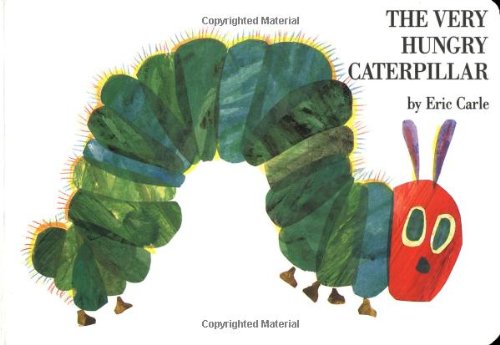
Creatively Retelling The Very Hungry Caterpillar

Who doesn't love this book?


An absolute classic! 

With Year 1 doing their Minibeast topic, I had to make a link and explore the book. We had read it through and used some of the brilliant Talk4Writing techniques to help us retell the story. To engage the children further, we decided to create our own version of the story starring Year 1.

To do this we used the masking tool with the brilliant Doink Greenscreen app. This short video demonstrates the process:


Once all the children had created their video on Doink Greenscreen. We put it all together in Apple Clips where pupils could also add emojis for all the food. This was their finished video:


I can't wait to use this idea with other areas of the curriculum!

Creating Interactive Guides to the Human Body

You may remember a project I did with Year One last term:


I decided to do a similar project with Year Three for their science topic about the Human Body. 

We started with the Curiscope Virtuali-tee. This amazing augmented reality t-shirt never fails to create a lesson of awe and wonder! If you've not ordered one of their t-shirts, I would highly recommend it. Buy a t-shirt here.

As a class, we explored all the different parts of the body and used the guide to learn facts about how our body works and what each organ does. The children were then given a part of the body and given some more time to find other facts about it.

Using the app Chatterkids Pix, the children had to create animated videos sharing their learning.

The students also used Greenscreen to create images giving the illusion we could see inside their body. Using Seesaw, they labelled all the different parts of the body:


To link everything together, we used the app Thinglink. This allowed all the pupils to embed their videos onto their labelled picture to create a whole class interactive guide to the body. This video explains the process:


If they're into the craze, use it to engage!


Viral crazes, you either love them or hate them. As a teacher, it is probably the latter. There is nothing worse than trying to explain the past progressive tense and spying a pupil trying to perfect the latest dance craze.


We've had everything - dabbing, bottle flipping, even the Harlem Shake... remember that?

The latest seems to be the Floss Dance. My pupils have been doing it so much they seem to have forgotten how to walk, they just floss everywhere. Dentists up and down the country must have been buzzing when they heard there was a floss craze. "FINALLY, people are taking our recommendations seriously" I could hear them cry. Imagine their surprise when they realised it turns out to be an awkward, Dad dancing move.


The look on their faces!

In the past, with some of the crazes, I have used them to great effect when it comes to writing in class. I truly believe children will do their best writing when they are writing about something they are truly engaged with. One of the first ever projects we did with our iPads was using popular games like Angry Birds and Temple Run as a stimulus. We have since used Minecraft and other tools to engage children with their writing. 

Most of the time, I use the Mantle of The Fool approach I picked up from the brilliant Alan Peat. This involves the teacher playing the fool and asking the students to help them learn something. 

This is exactly what I did this week.

"Students," I announced. "I need your help."

"Over the Easter break, I am attending a wedding. There will be dancing involved no doubt and I need to impress." I lied.

"I was wondering whether you could help me and teach me how to do this new dance move the floss, so I can impress everyone!"

The hook was set. They were desperate to help, teaching the teacher something is such a powerful hook.


"The only way I will be able to understand and practice at home will be if you can create some instructions."

Instructional writing at the best of times can be a struggle! We've all been there - cups of tea, sandwiches, probably the worst I've seen on my travels was a display on 'How to tidy the classroom'! Why not get them to create instructions about something they are experts on. 

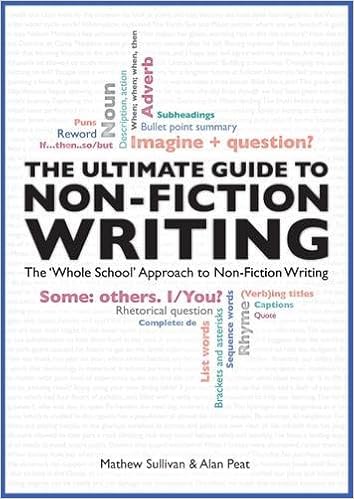
The first thing we had to do was read some instructions to identify some features to help us with our writing. The Mat Sullivan and Alan Peat book - Ultimate Guide to Non-Fiction - is one of the best resources for support with Non-Fiction. The wealth of examples, sentence types and structure support gave children a real depth of understanding to this text type. 

What I absolutely loved about this challenge was how hard it was for children to break down the dance move into its different, individual parts. Yes, they have all perfected the dance as they show every minute of the day but actually create a series of clear instructions was another thing. It turned into a great computational thinking activity. With all the work I do with Dr Chips, I am well aware of all the brilliant resources from Barefoot Computing. Some of the unplugged activities to support computational thinking are brilliant and this linked well:

So with this task, children are touching upon a lot of the concepts here: algorithms, decomposition and abstraction.

As if I couldn't engage the children more, the writing they produced wasn't the end product. Not when we can transform it through technology into a more engaging form of media to them. Once they had finished their writing, the final challenge was to use their writing to create their own video tutorial video. They also knew if these were done well, they would be shared through our school social media channels.

The app we decided to use was Apple Clips. 

This app is quickly becoming one of my favourites in the classroom. The only downside is that it needs iOS 10 to run. A lot of schools I work in still use slightly older iPads where it isn't compatible. As an Apple app, it is almost like a condensed version of iMovie. It is a fantastic way to create visual content and allows you to add subtitles, different effects and filters, stickers, labels and it very easy and straightforward to use. 
To let you into a little secret, it is the app I use when creating a lot of content for my social media channels. 

I want to share a couple of finished videos from my pupils. As you can see, they have explored a lot of the creative options within the app to transform their writing. Unfortunately, due to time constraints they didn't have as much time with the performing element as I would have liked.

They would love to know what you think and even better if it has helped you learn this dance. Let us know in the comments.